What Your Perforce Server Knows (That Your Team Doesn't)
Hundreds of changelists a week, and nobody can say who changed that texture, which task it belonged to, or what it looks like without syncing a workspace. The depot already knows. Here are seven questions ButterStack asks Helix Core on your behalf, and what it takes to ask them.

- Perforce
- Version Control
- Asset Management
- Pipeline
- Game Dev
When I was a Solutions Engineer at Perforce, the most common way I saw studios use Helix Core was as a very expensive network drive. Files went in. Files came out. Everything the server knew about those files, who touched them, when, alongside what, sat in the metadata and got consulted exactly once: during the post-mortem after a build broke.
That is a waste, because the depot is the one system in a studio that sees every change. Perforce already knows who changed that texture. It knows the changelist landed at 11:52 PM the night before the milestone. It knows the same submit touched a material and a level. What it does not know is what the change was for, whether anyone should look at it before it gets cooked, or what the texture looks like. And it has no way to tell anyone any of this without a human running p4 describe by hand.
ButterStack’s Perforce integration exists to ask the depot those questions continuously, and to fill in the parts it cannot answer alone. Part 2 of the pipeline series covers wiring up the trigger. This post is about what you get once it is wired.
1. Which task is this changelist for?
Every changelist description gets scanned for task keys: anything shaped like PROJ-123. If the key resolves to a task in a connected Jira, Linear, or Trello project, the changelist is linked to it. No Swarm, no plugin on the client, no pasting a URL into a ticket. An artist who writes ART-412: retopo hero mesh in the submit dialog has just done all the traceability work that will ever be asked of them.
This is the seam most studios lose first. The ticket says “done,” the changelist says “fixed stuff,” and a producer spends Friday reconciling the two.
2. Should this changelist build?
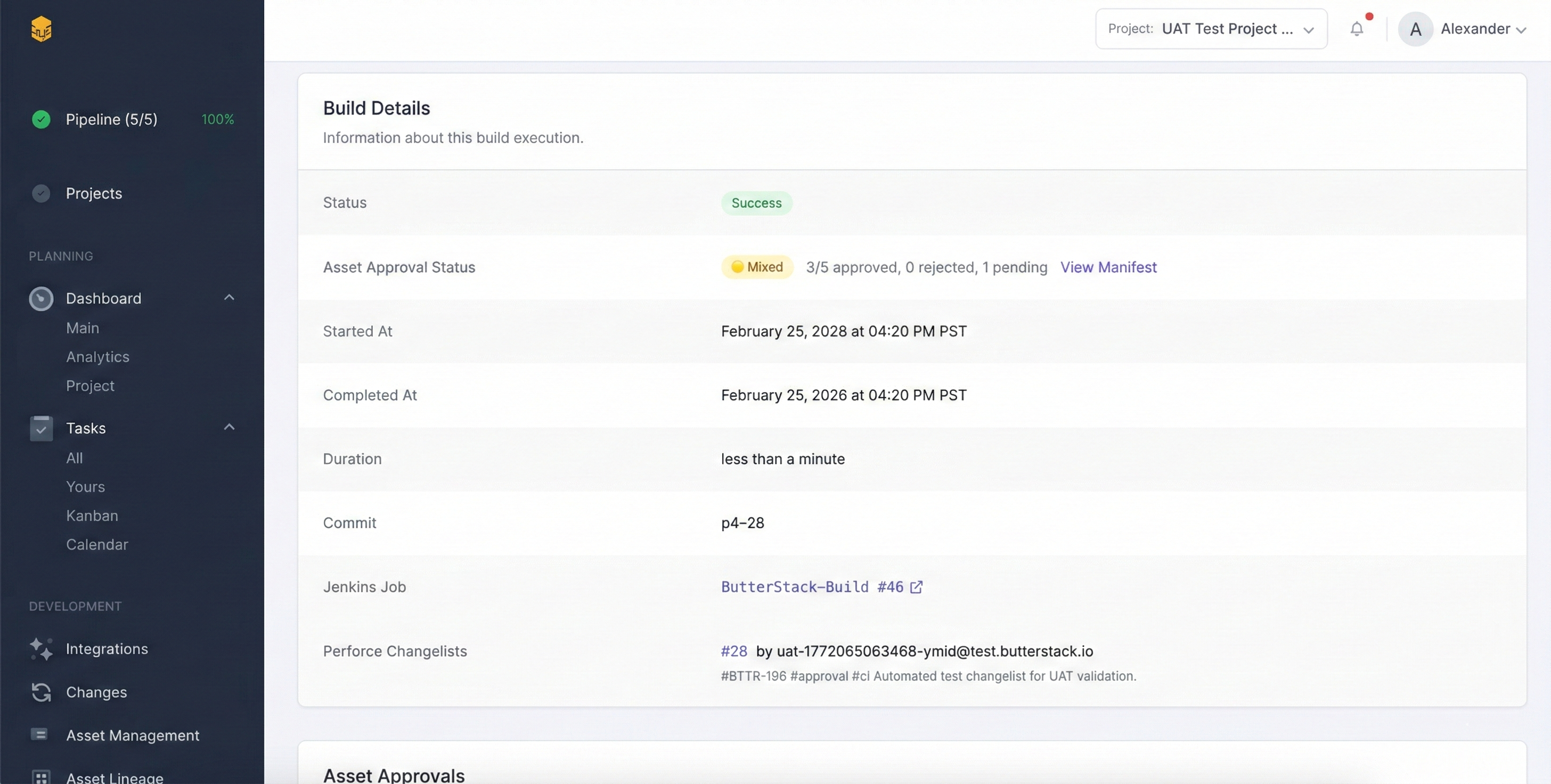
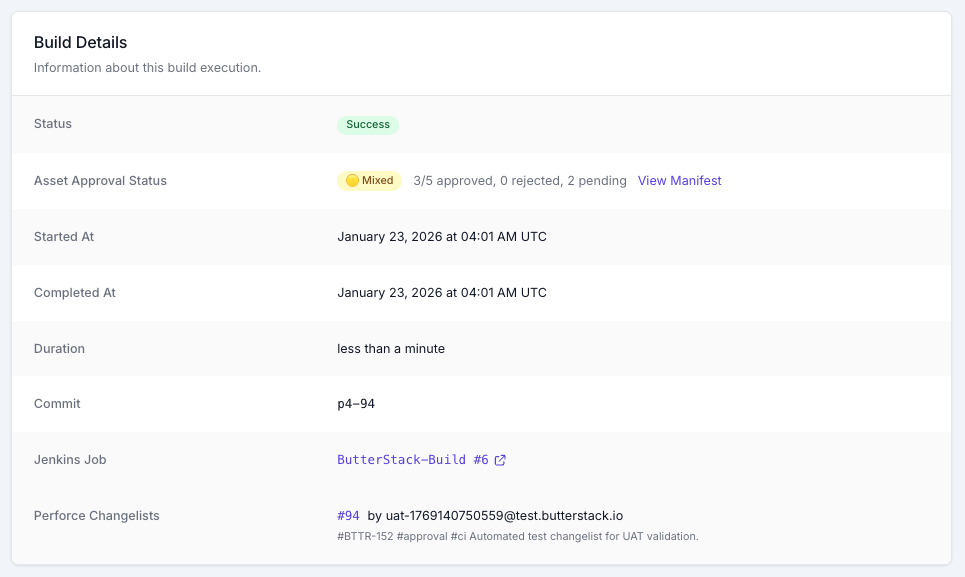
Tags in the description drive the build. #ci, #build, or #jenkins trigger the project’s default Jenkins job; #jenkins:JobName picks a specific one; #skip-ci (or [skip ci]) says leave it alone. The changelist reaches ButterStack through a change-commit trigger on the server calling a small webhook script, or, if you cannot add triggers to your server, by polling. Triggers are faster; polling works with a read-only service account and nothing else.
3. What actually changed, in asset terms?
A file list is not an answer. ButterStack types every file in a changelist by extension: textures (.png, .tga, .dds, .exr, .psd and friends), models (.fbx, .obj, .gltf), levels (.umap, .unity), materials and Unreal assets (.uasset), audio, animation, shaders, scripts, config. So “CL 48120 touched 14 files” becomes “CL 48120 changed 9 textures, 2 materials, and 1 level,” and the pipeline can react differently to each.
4. Does someone need to look at this before it cooks?
Add #approval to a description (or #approve, #review, #approvals) and the changed assets land in a pending-approval queue instead of flowing straight through. By default that queue is assets-only: art, audio, levels, materials, animation, fonts, video. A .cpp in the same changelist is not held for an art review, because that is not what art review is for. Projects can widen the filter to all files, or add their own tags.
An approve or deny on that queue is a human decision, made in the UI, from the CLI, or from an MCP client. The agentic layer can summarize the queue. It does not clear it.
5. What does it look like?
This is the one that changed the most in the last year. Helix Core 2025.2 and later ship a REST API, and if you enable it on the integration, ButterStack fetches the file’s actual bytes through /api/v0/file/contents and renders the preview in the browser. No workspace, no sync, no P4V. The default cap is 5 MB per file, and it is configurable, so you can look at a .png without accidentally pulling a 500 MB .uasset across the wire.
The depot browser sits alongside it: navigate folders, see file history, see which changelists modified a path, with the spec and unload depots filtered out of your way.
6. Where did this asset come from, and which build shipped it?
Because every changelist is synced with its file list, each asset carries the changelist and author that introduced it, and each build carries the changelists that went into it. So “which build first contained the broken material” is a lookup, not an investigation. It is also the data the Build Investigator reads when it narrows a red build to the changelists since the last green one; I wrote up that loop last week.
7. Can my AI ask any of this?
Yes, and this is the question I get asked most now. npx -y butterstack-mcp starts a Model Context Protocol server that exposes your projects, tasks, builds, and pending assets to Claude Desktop, Cursor, or any MCP client. The tool list is small on purpose: list and get projects, list and update tasks, list and get builds, run a failure investigation, list pending assets, approve or deny one. It ships with a triage_broken_build prompt and a batch_asset_review prompt. The butter CLI covers the same surface from a terminal, and the MCP server reads the credentials the CLI writes on login. Full docs are at /docs/guides/mcp.
None of those tools reach the Perforce server directly. They reach ButterStack’s record of it, which is the point: the AI gets the depot’s knowledge without a p4 ticket.
The server is behind a firewall. Now what?
Most studio Helix Core servers have no public endpoint and should not get one. The ButterStack Connector is a small daemon you run inside your network that opens one outbound WebSocket to ButterStack on port 443. No inbound ports. Your P4 user and ticket stay in the Connector’s local config; ButterStack never receives them, and it stores only a SHA-256 digest of the Connector’s own token, which is shown to you exactly once. The Connector executes a fixed allowlist of read-oriented p4.* commands. It is not a shell. Details at /docs/guides/connector.
We run this on our own depot
Butter Up!, the small UE5 platformer we build inside ButterStack, lives at //sample-game on a real Perforce server we never reset. Every one of the seven questions above gets asked of that depot every day, by us, before it is asked of yours.
If your team submits hundreds of changelists a week and still answers “who changed that texture” by asking in Slack, the server already had the answer. It just needed someone to ask.
Thanks!
Ryan L’Italien
Founder and CEO of ButterStack
Want to see what pipeline observability looks like? Try ButterStack free and connect your first integration in minutes.
Or just email me at: ryan@butterstack.com.