Loop 3: Pipeline Insights Without the Three-Hour Spreadsheet
The publisher question. The ownership question. The 'are we trending the right way' question. Each one used to take an afternoon. The third loop is what happens when those questions get answered in two minutes, and the answer is auditable.

- Game Dev
- Pipeline
- Best Practices
- Asset Management
- CI/CD

This is Part 5 of the “Agentic Game Dev” series. Part 1: The Manifesto → Part 2: The Framework → Part 3: Asset Validation → Part 4: Build Failure Investigation → Part 5: Pipeline Insights → Part 6: Dogfooding Our Perforce Agent → Part 7: Butter Up! Devlog #1 → Part 8: Butter Up! Devlog #2.
The publisher email lands at 4 PM on a Thursday. “Show me all UI changes this sprint for the compliance review. We need it before EOD Friday.”
Your producer pulls up Perforce, starts filtering changelists by date and folder. Some UI work was in //depot/Content/UI/, but a chunk of it landed in //depot/Content/Menus/ because of a refactor mid-sprint. Some of the UI changes weren’t art. They were code in //depot/Source/UI/. Three hours later, your producer has a spreadsheet she’s “pretty sure” is complete.
Friday morning, the lead artist mentions that the loading screen got reworked yesterday. That CL doesn’t show up on the spreadsheet because it landed under //depot/Content/Loading/. Your producer adds it, exports a new version, and sends it to the publisher.
Compare that to: “Find me everything tagged UI or matching path globs **/UI/** or **/Menus/** or **/Loading/**, including code, between 2026-05-01 and 2026-05-15, with the originating Jira tickets and the engineers responsible.” Two minutes. Sources cited. No “pretty sure.”
That’s the third loop.
What This Loop Actually Is
The first two loops were event-driven. Perforce submits, Jenkins failures. This one is question-driven. Someone asks a question that requires assembling data from across the pipeline. The agent assembles. The human reads.
The four parts:
- Trigger. A human asks a question. Or a scheduled cron fires for recurring reports.
- Read. The agent queries across the pipeline systems: Perforce, Jenkins, Jira, your task system, your asset tracking.
- Assemble. The agent generates a report with the data, the methodology, and links back to sources.
- Surface. The human reads the report, decides whether it’s complete, and either uses it or asks a refining question.
The handoff is the same as the other loops. The agent doesn’t send the publisher email. The producer reads the report, checks the methodology, and sends it.
Three Questions Worth Answering
The pattern shows up in three categories of questions, and they have different audiences.
Reporting Questions (Producer / Production)
These are external-facing and time-bound. The publisher question is the canonical example. Sprint reports, milestone reports, compliance audits, change summaries for QA.
The pain shape. A specific date range, a specific filter, an output that needs to be readable by someone outside the team. Currently a producer assembles this from Perforce queries, Jira filters, and notes. Currently it takes hours. Currently it’s “pretty sure.”
What the agent does. Reads the filter, queries the systems, assembles the output with sources cited. Methodology is part of the report so the producer can verify it.
What the agent doesn’t do. Send the report. Decide what counts as a UI change. Edit the report’s tone for the audience. Those are still human calls.
Ownership Questions (Tech Director / Lead)
These are internal and contextual. “Who knows the inventory system?” “Who’s owned the rendering pipeline this milestone?” “Who should I assign this bug to?”
The pain shape. A new engineer joins, a bug lands in an area nobody’s touched in months, a system is being handed off between leads. Right now the answer is “ask around.” Asking around takes a week and the answer is often “it depends.”
What the agent does. Maps file ownership from CL history. Correlates with Jira ticket assignment. Surfaces the engineers most active in a given area, weighted by recency and depth.
What the agent doesn’t do. Decide who should own the system. Send a message to the proposed owner. Reassign tickets. Ownership is a human decision; the agent surfaces evidence.
Trend Questions (TD / CTO)
These are longitudinal and quiet. They’re the questions nobody asks until something breaks.
- “Is our frame time trending the wrong way?”
- “Are builds getting slower?”
- “Are asset approvals taking longer than they did last quarter?”
- “Is one platform’s failure rate creeping up?”
The pain shape. The data exists in your build logs, your asset tracking, your performance test outputs. Nobody assembles it because it would take a day a week to do it manually. So the trend goes unnoticed until a milestone reveals it as a crisis.
What the agent does. Runs scheduled aggregation across the relevant data sources. Surfaces deltas. Flags trends that exceed a threshold. The output is a weekly digest, not a constant alert.
What the agent doesn’t do. Decide what’s a problem. A frame time creep from 14ms to 15ms might be expected because of new content. The TD makes the call.
Why This Is the Highest-Leverage Loop
The first two loops give time back to engineers and artists. This one gives time back to leads.
The cost of a bad reporting answer is reputational. The publisher loses trust in your data. The cost of an unanswered ownership question is a slow onboarding or a misassigned bug. The cost of an undetected trend is a milestone slip you didn’t see coming.
These are leadership-shaped costs. The leads who pay them are the same people deciding what to invest in next. Time saved here compounds, because the saved time goes into actually leading instead of into pipeline archaeology.
The earlier post on asset ownership made the point this way: when accountability is automatic, technical leads spend their time leading instead of playing detective. This loop is the version of that for the questions that don’t have a single asset attached.
What “Reading Across the Seams” Looks Like Here
A query like “show me all UI changes this sprint” sounds simple until you list everything it touches:
- Perforce CLs in any UI-related path
- Jira tickets tagged UI, plus tickets without that tag whose CLs are in UI paths
- Build artifacts that include the affected assets
- Test results for those builds
- Approval status of any visual assets touched
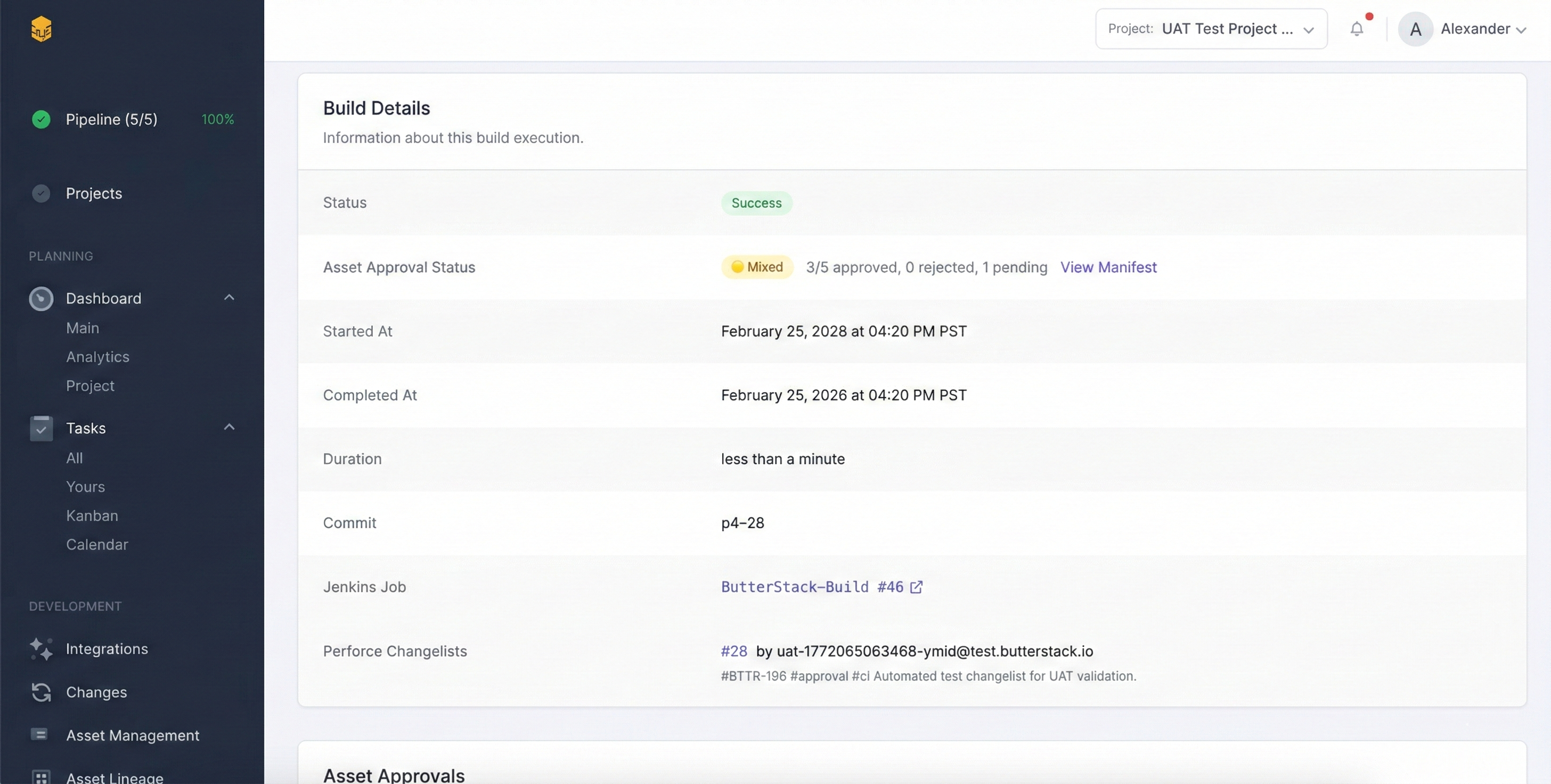
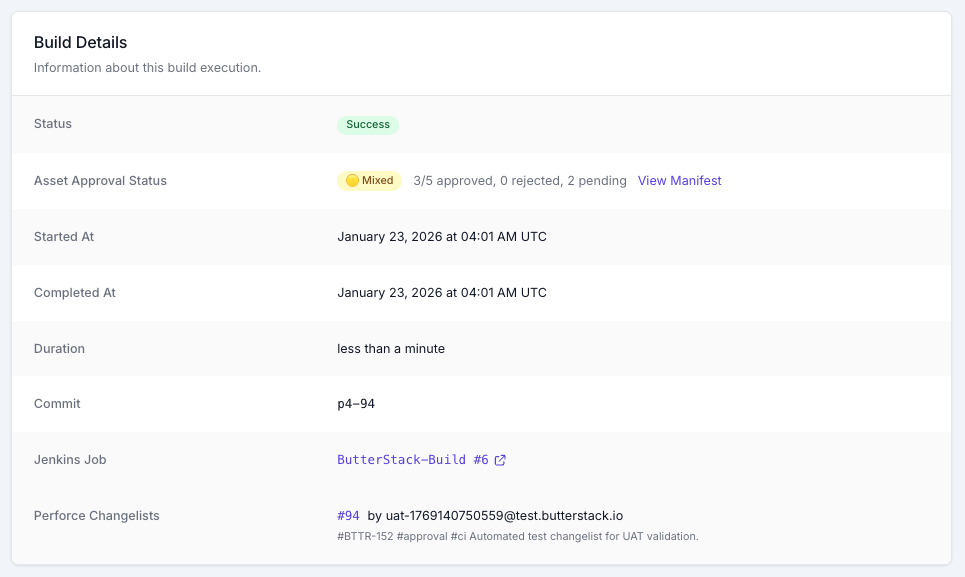
The producer assembles this manually because no single system has all of it. The agent assembles it because the connective tissue described in Part 2 connects all of it.
This is the part that’s easy to miss: the agent isn’t doing the impressive part. The connective tissue is. The agent is just running queries and writing prose. If the underlying systems can’t be queried together, no agent will save you.
This is also why the loop is aspirational rather than table-stakes. Most studios don’t have the connective tissue. They’re starting with five tools that don’t talk to each other. The path to this loop runs through pipeline observability first. Perforce talks to Jenkins, Jenkins talks to Jira, Jira talks to your task system, all of it talks to your asset tracking. Once that’s true, the agent on top is straightforward. Without it, the agent has nothing to read.
Where the Agent Will Be Wrong
Same as the other loops. Be honest about it.
Wrong filter. The agent decided that “UI changes” means anything in **/UI/**, but your studio also keeps menu animations in **/Animations/Menu/**. The producer catches this on review. The agent’s filter logic should be visible in the report so the human can correct it.
Stale data. The agent’s last sync was 30 minutes ago. The CL that landed 10 minutes ago isn’t in the report. Reports should timestamp their data sources.
Apparent precision. A report that says “47 UI changes this sprint” sounds precise. It’s only as precise as the filter and the data. The methodology section of the report exists to make this honest.
Missing context. A trend report flags that build duration is up 20%. It doesn’t know that the team added a new platform target. The TD does. The agent surfaces the trend; the human interprets.
The mitigation is consistent across all three loops in this series: surface evidence and methodology, not verdicts. A report that shows its work is correctable. A report that just gives an answer is fragile.
What This Loop Could Enable
The basic version saves producers and TDs an afternoon a week. The aspirational version is bigger:
- Self-serve answers for non-technical roles. Marketing wants to know which features shipped this milestone. Community wants to know what’s in the next patch. Currently they ask the producer; the producer assembles. With the loop, they get a sourced report directly. The producer’s afternoon comes back.
- Standing reports that update themselves. Weekly TD digest. Monthly milestone report. Sprint retrospective with data attached. None of these are hard to write once. They’re hard to keep updating. An agent that runs the same query every week is the version of these reports that survives a milestone crunch.
- Onboarding context for new hires. A new engineer’s first morning includes a generated map of who owns what in the codebase. They start their first ticket knowing who to ask, not three weeks later after asking around.
- Audit trails that are actually auditable. When something goes wrong months later (a publisher dispute, a cert issue, a contractor disagreement), the trail of who did what when is queryable, not buried in a wiki nobody updated.
These are aspirational. None of them are a feature in any product I’d point you at today. They’re achievable from the same connective tissue that the rest of this series describes, and the path to them runs through visibility before it runs through agents.
What the Agent Should Never Do
Never send external reports without human review. The publisher report doesn’t go directly from the agent to the publisher. The producer reads it first. Always.
Never auto-assign ownership. Surfacing “Sarah has touched 80% of the inventory code” is useful. Reassigning tickets to Sarah without her knowing is not.
Never alert on every trend. A noisy weekly digest gets ignored. Set thresholds. Surface the signals that exceed them. Stay quiet on the rest.
Never write copy in the team’s voice. A draft summary the producer can edit is fine. A polished publisher email written entirely by the agent is not. The team’s external voice is something the team owns.
Never make personnel inferences. “Engineer X has been less productive this sprint” is not a thing the agent should ever output. Activity is not productivity. The agent measures CLs and tickets, not work value, and pretending otherwise is how this loop becomes destructive.
That last one is the one I care about most. The agent is reading data that, if framed wrong, becomes a tool for surveillance instead of a tool for clarity. The framing is the whole point. Surfacing “this asset hasn’t been reviewed in 12 days, here’s the chain that led here” is clarity. Surfacing “this engineer has produced 15% fewer CLs this month” is something else entirely. Don’t build the second one.
Where ButterStack Fits
ButterStack’s job is the connective tissue. Perforce, Jenkins, Jira, asset tracking, deployment, all linked. The insights loop described here is what that tissue can grow into. The aggregation queries and the agentic surfacing on top are direction, not finished features.
If reporting, ownership, or trend questions are the ones eating your leadership time, I’d genuinely like to hear which kind hurts most. Producer reports, TD onboarding maps, and milestone trend digests are very different shapes of pain, and the loops that solve them are different shapes of agent.
Closing the Series
One framework, three loops. The shape is the same in each. The agent reads across the seams, assembles the answer, hands it to a human. The human still owns the decision.
If you take one thing from the series, take this: the agent isn’t the interesting part. The connective tissue is. Pipeline observability (the boring, undramatic work of making your tools talk to each other) is what makes any of this possible. Once that’s true, the agentic layer is additive. Without it, no agent will save you.
Start with the seam that hurts most. For most studios, that’s build failures. For studios with a strong art pipeline, it’s asset validation. For TDs and producers, it’s the questions that take an afternoon to answer. Pick one. Build the visibility first. The agent on top is the next step.
If any of the loops in this series sound like the kind of pain you’d like to give back, I’d genuinely like to hear about it.
Thanks!
Ryan L’Italien
Founder and CEO of ButterStack
Want to see what pipeline observability looks like? Try ButterStack free and connect your first integration in minutes.
Or just email me at: ryan@butterstack.com.