Version Control
Perforce integration
Connect your Perforce server to track code changes, manage builds, and streamline your development workflow with ButterStack.
✓ Read-only by default
✓ Low-latency sync
✓ ~5 min setup
What you get
Everything you need for Perforce.
Connect Perforce to your ButterStack dashboard for real-time visibility into your version control workflow.
Code change tracking
Every submit and shelved changelist from your depot, with author, description, and the files it touched.
Automated builds
Land a changelist on a tracked stream and ButterStack fires the matching Jenkins job, no manual kickoff.
Workspace management
See client workspaces and stream mappings next to the changes flowing through them.
Swarm integration
Pull Swarm review status into the same timeline as your builds and submits.
See it side by side
Perforce, next to ButterStack.
Perforce
Screenshot coming soon
Inside ButterStack
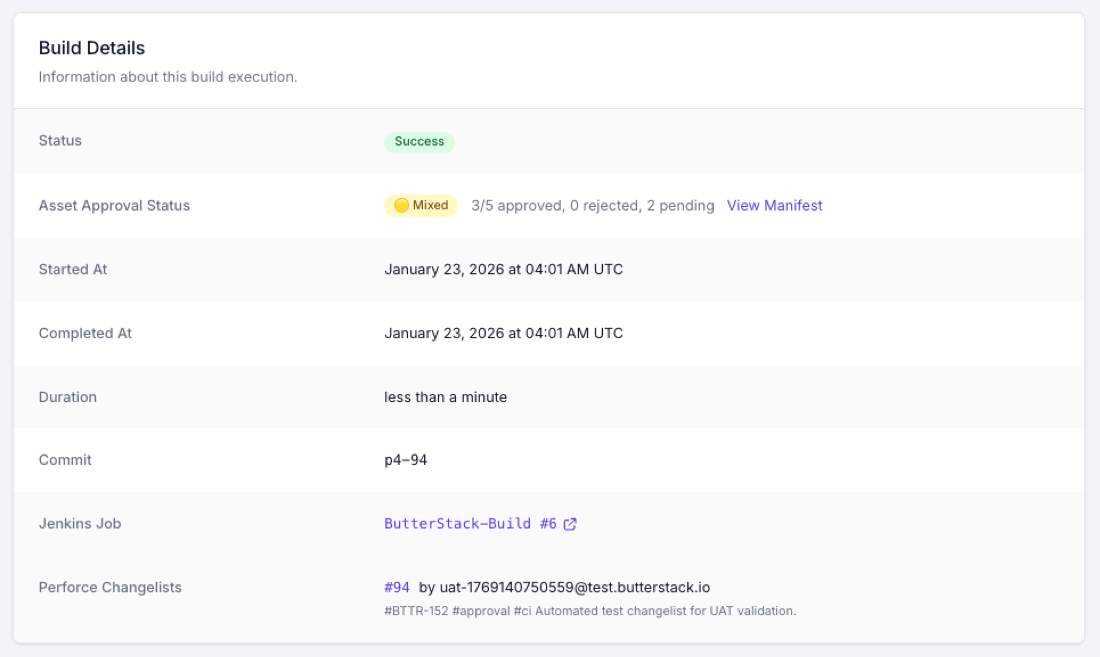
In your dashboard
Your Perforce connection, at a glance.
Read-only by default. Here's exactly what ButterStack reads from Perforce, and the events it surfaces, once it's wired up.
Depot
//depot/ctrl-alt-reboot
Stream
//depot/ctrl-alt-reboot/main
Admin user
buildbot
Auth
Ticket · read-only
Trigger
change-commit
change
CL 1052 submitted · Alex Chen
14:21
build
Triggered Jenkins #1247
14:22
sync
Workspace synced · 18 files
14:22
Use cases
Perforce works for…
Game development
Stream-based depots, multi-gigabyte binary assets, and per-changelist build triggers: the workflow Perforce shops actually run.
Large codebases
Built for monorepos where a single stream holds code, art, and audio in one place.
Enterprise development
Track activity across many streams and workspaces without leaving the dashboard.
Asset management
Follow art and audio assets from submit through build to the shipped package.
Ready to wire up Perforce?
14-day free trial. No credit card. Read-only by default - your code stays where it is.