
Game Dev Task Management: From TODO.txt to Pipeline Traceability
We've all been there: It's 11 PM, the build is broken, and the commit message just says 'fixed stuff.' Here's why task management is the first link in your pipeline.

- Game Dev
- Task Management
- Jira
- Perforce
- Pipeline

This is Part 1 of the “Build Your Game Dev Pipeline” series. We’ll cover the complete journey from task to ship: Part 1: Task Management → Part 2: Perforce + Jenkins Triggers → Part 3: Build Configuration → Part 4: Testing & QA → Part 5: Deployment.
We’ve all been there.
It’s 11 PM on a Friday before a major milestone. The build is broken. The error log points to a null reference in a system you didn’t write. The commit message just says “fixed stuff.” There’s no ticket reference, and the developer who pushed it is at a wedding in a timezone you can’t even calculate.
Monday morning becomes an archaeology expedition through Perforce history, Slack threads, and half-remembered standup notes just to figure out what that code was supposed to do.
I’ve been the person digging through P4 changelists at 2 a.m. trying to figure out which ticket a “fixed stuff” commit was supposed to land. It’s why task management is pipeline step 1. Not because we love bureaucracy, but because it’s the first link in the traceability chain. Without it, everything downstream is built on sand.
The Traceability Chain
Every sane development pipeline follows a chain:
Task → Commit → Build → Test → Deploy
Each link needs to connect to the next. When a build fails, you should be able to trace backward: which commit caused it? What task was that commit for? Who requested that work? (I’ll say “commit” throughout, but in Perforce this is your changelist.)
When this chain is broken (commits don’t reference tasks, or tasks don’t exist) you lose the ability to answer basic questions:
- Why did we make this change?
- Who approved this work?
- What was the bug we were trying to fix?
- Is this feature actually done?
Teams that keep the chain intact resolve incidents in minutes, not hours. The difference isn’t talent; it’s traceability.
Minimum Traceability Fields
Each link in the chain needs specific data:
| Link | Required Fields |
|---|---|
| Task | ID, owner, target build, acceptance criteria |
| Commit/CL | Task ID + intent line |
| Build | Build ID + triggering CL + asset manifest |
| Test | Build ID + outcome |
| Deploy | Build ID + environment |
The Reality of Game Dev Task Management
Here’s what actually happens in most studios.
The TODO.txt Developer. Every team has one. A text file on their desktop with cryptic notes like “fix the thing with the door” and “Bob said check the animation.” When that developer goes on vacation, their institutional knowledge goes with them.
The DM Manager. The producer or lead who assigns tasks via Discord or Slack DMs. “Hey, can you fix that texture?” exists strictly between two people. When that producer is out sick, nobody knows what half the team is working on.
The Spreadsheet of Doom. A producer maintains a Google Sheet with task assignments. It’s always out of date. Nobody trusts it. But it’s the only place where priorities are written down, so everyone still checks it with a sense of dread.
The Sticky Note Wall. Great for visibility in the office. Useless for the remote contractor who joined last month. On one team, our art lead kept a whiteboard Kanban that never made it into Jira, so every build review started with a scavenger hunt.
Game dev makes this harder than web dev. You’re coordinating across disciplines that speak different languages: artists think in visual milestones, programmers think in systems, designers think in features. When a contractor joins mid-milestone, they don’t have your context. Only your task trail.
Tool Comparison
Before diving into Jira (the industry standard we love to hate), here’s a realistic look at the field with game-dev specifics that generic tech blogs usually miss:
| Tool | Best For | Game Dev Notes |
|---|---|---|
| Jira | AA/AAA studios | Perforce linking, custom art/QA workflows. Great for multi-discipline teams. Complex and expensive, but it scales. |
| HacknPlan | Game studios | “Trello for Game Dev.” Visual, understands GDD structures. Can feel rigid if you don’t fit their model. |
| Codecks | Indies | Playful “trading card” UI, great Discord integration. You either love it or hate it. |
| Linear | Fast-moving teams | Keyboard-driven, incredibly fast for engineering. Art/QA pipelines usually need a second system. |
| P4 Plan | Legacy AA/AAA | Built for games, handles millions of tasks. Harder to integrate with modern CI; UX needs an upgrade. |
| GitHub Projects | Code-heavy teams | Free, native git integration. Perforce teams will need glue. |
| Monday.com | Visual teams | Great for producers and art leads, but weak for CL/build traceability. |
| Notion | Documentation-heavy | Flexible, great for wikis. Not a real PM tool. |
| Trello | Small teams | Simple, visual. Falls apart once you have more than 50 active tasks. |
Most AA/AAA teams I’ve seen run Jira for engineering plus a parallel art board (Hansoft, Monday, or something ShotGrid-style), then sync the milestones.
The only tool that matters is the one people actually update on a busy week. A perfectly configured Jira instance that nobody touches is worse than a shared spreadsheet everyone checks daily.
Jira Deep Dive
Jira dominates game development for a reason: it integrates with Perforce, supports complex workflows, and scales from 5-person indie teams to 500-person AAA productions. It’s clunky, sure. But it works.
Why It Fits
Perforce integration. Jira’s Smart Commits feature lets developers link commits to tickets automatically. A commit message like PROJ-123 Fixed animation blend tree issue creates a connection that shows up in both systems. When you’re tracking down why a change was made, this link is gold.
Custom workflows. Game dev has unique stages. You might need: Concept → Blockout → First Pass → Polish → Final → QA Approved. Jira lets you build workflows that match how your team actually works.
Setting Up a Game Dev Project
Skip the templates. Start with a Kanban board and customize from there.
Essential custom fields:
| Field | Type | Purpose |
|---|---|---|
| Platform | Multi-select | PC, PS5, Xbox, Switch, Mobile |
| Discipline | Single-select | Art, Engineering, Design, Audio, QA |
| Asset Type | Single-select | Character, Environment, UI, Animation, Code |
| Build | Text | Which build this should ship in |
Workflow statuses:
- Backlog
- Ready for Work
- In Progress
- In Review (Code/Art Review)
- QA Testing
- Done
Smart Commits: The Critical Link
Smart Commits connect tasks to code automatically. When a developer includes a ticket ID in their commit message, Jira creates the link.
Basic format:
PROJ-123 #comment Fixed the door collision issue
For enforcement, use a consistent regex pattern across branch names and CL descriptions:
TASK_PATTERN='(PROJ|BTTR)-[0-9]+'
For Perforce specifically, you’ll need the Perforce Integration for Jira app. Configure it to watch your depot paths, and it will automatically link changelists to tickets based on commit messages.
The Minimum Viable Setup
Not ready for Jira? Here’s what you absolutely need for basic traceability:
1. Task IDs in Every Commit
This is non-negotiable. Every commit message needs a reference to why the change was made. Make your build system reject CLs without task IDs.
TASK-123: Fixed animation bug[#123] Fixed animation bug
Pick a format and enforce it. A Perforce trigger script can reject non-conforming commits:
#!/bin/bash
# A simple trigger to enforce ticket numbers
DESCRIPTION=$(p4 describe -s $1 | head -20)
if ! echo "$DESCRIPTION" | grep -qE '(PROJ|BTTR)-[0-9]+'; then
    echo "Commit rejected: Missing task ID (e.g., PROJ-123)"
    exit 1
fi
exit 0
Pro-tip: Be careful with blocking triggers. If your regex is wrong, you lock the entire studio out of committing code. Run these scripts in “warn-only” mode (printing a message but allowing the commit) for a week before turning on hard reject.
2. A Shared Source of Truth
This can be Jira, HacknPlan, or a Notion database. The requirements:
- Everyone can access it
- Every task has an owner
- It’s the single source of truth for “what are we working on”
3. Weekly Sync
Systems decay without maintenance. 15 minutes, Friday morning, with a single agenda:
- Prune dead tasks
- Mark done items as done
- Re-assign or close orphans
This isn’t overhead. It’s hygiene that keeps your traceability chain intact.
Connecting Tasks to Your Pipeline
Task management becomes powerful when it connects to everything else.
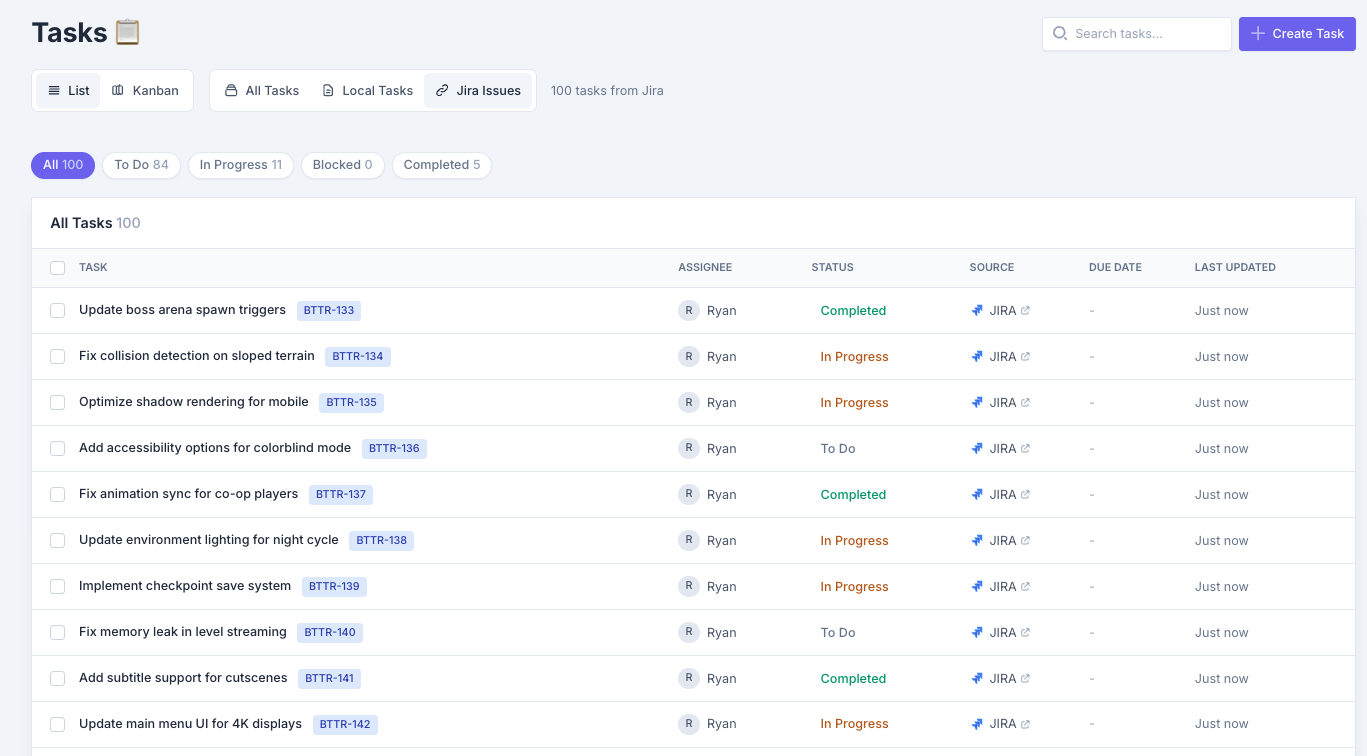
The Ideal Flow:
- Task created → PROJ-456 “Fix inventory stacking bug”
- Work begins → Developer assigns themselves, moves to In Progress
- Code committed →
PROJ-456 Fixed inventory stacking - Build triggered → Jenkins sees the commit, starts a build tagged with CL + asset manifest
- Tests run → Automated tests pass, build artifact created
- QA verifies → QA references task ID + build ID in their bug reports (not just “build from yesterday”)
- Deployed → Build goes to staging, then production
At each stage, you can trace backward and forward. When the build fails, you see PROJ-456 was the last change. When someone asks “is the inventory bug fixed?”, you can see it shipped in build 1.2.345.
Here’s what happens when the chain breaks: without the task reference in step 3, you’re back to that Friday-night archaeology expedition.
How ButterStack Fixes This
Setting up traceability is one thing. Keeping it visible across Perforce, Jira, Jenkins, and whatever else your team uses is another.
ButterStack acts as the connective tissue between your tools. It watches your pipeline without interfering and gives you a single place to see the full chain. When your lead asks “what happened to PROJ-456?”, you pull up the lineage view instead of starting another Slack archaeology dig.
Connecting Jira takes about two minutes. In ButterStack, you add your Jira integration with these settings:
| Field | Value |
|---|---|
| Jira URL | https://your-domain.atlassian.net |
| Your Jira account email | |
| API Token | Generated from Atlassian API tokens |
| Project Key | Your project key (e.g., PROJ) |
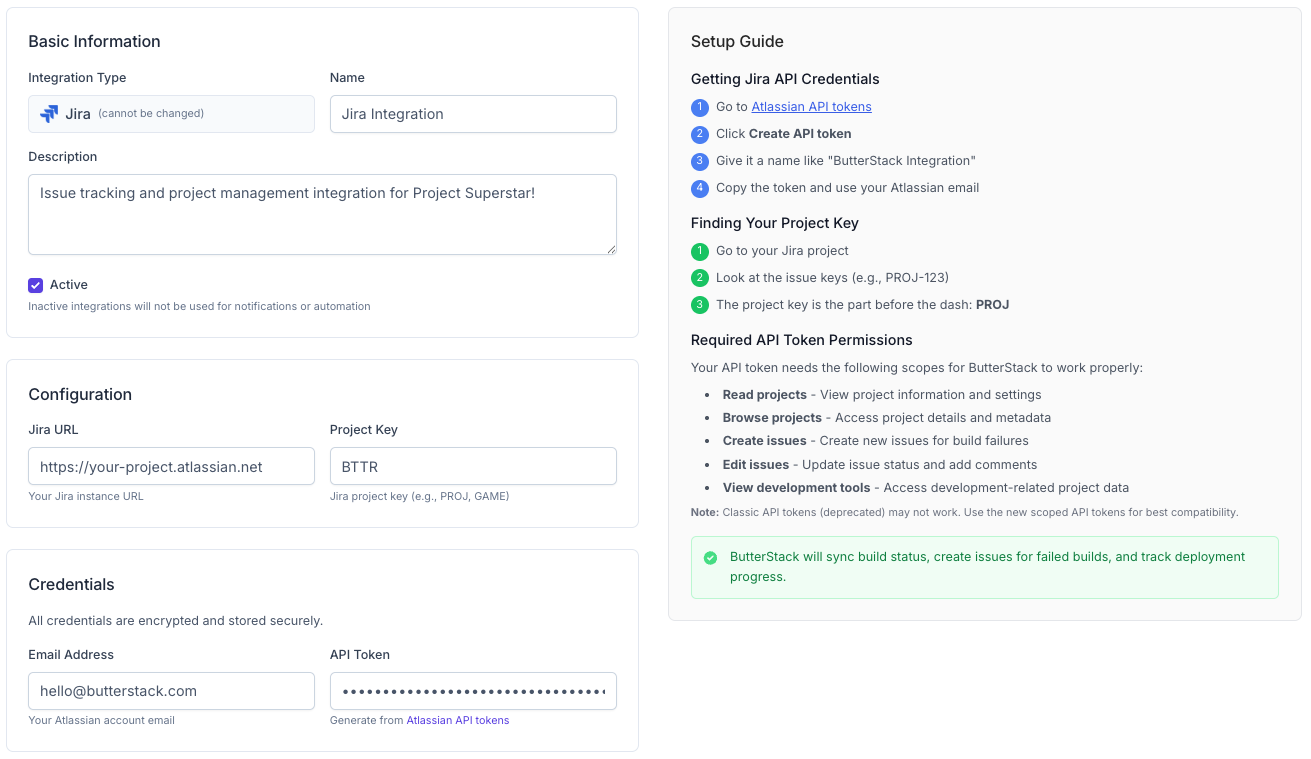
Once connected, ButterStack automatically links your Jira tasks to Perforce changelists and Jenkins builds. The task IDs you enforce in commits become the thread that ties everything together.
FAQ
How do I get developers to actually use task tracking?
Make it required. The Perforce trigger approach works because it’s immediate feedback. Developers learn fast that typing PROJ-123 takes two seconds and saves a rejected commit.
Don’t ask engineers to update Jira and Slack and a doc. Pick one system. One required field (task ID in commit) is sustainable. Ten required fields is bureaucracy people will route around.
Should artists use the same system?
Ideally, yes. But if your art team revolts against Jira, a lightweight bridge works: artists use Trello or HacknPlan, and a producer syncs major milestones to Jira.
Multiple systems are fine as long as a single task ID is the bridge. The absolute minimum is that art commits must reference a task ID that exists somewhere.
What if my team is too small for Jira?
Jira is free for up to 10 users. For 1-5 people, Codecks or GitHub Issues work fine. What actually matters isn’t the tool: it’s the discipline. Every commit references a task.
How granular should tasks be?
Small enough that each commit maps to roughly one task. If a task takes three weeks and generates 50 commits, it’s too big. If you’re creating tasks for every one-line change, it’s too small.
A good heuristic: each task should be something you could describe in a standup. “I’m working on the inventory stacking bug” is the right size. “I’m working on the inventory system” is too big.
Conclusion
Task management isn’t about control; it’s about sanity.
When every commit references a task, you get traceability, accountability, and context that survives when your lead engineer quits.
Whether you use Jira, HacknPlan, or a well-maintained spreadsheet, what actually works is consistency: every piece of work has an ID, and every commit references that ID. In Part 2, we’ll build on this foundation by automating builds triggered by commits. The task references you set up here become the data that flows through your entire pipeline.
Thanks!
Ryan L’Italien
Founder and CEO of ButterStack
Want to see what pipeline observability looks like? Try ButterStack free and connect your first integration in minutes.
Or just email me at: ryan@butterstack.com.